Channel settings
Auto-reply, greeting, business hours, out-of-hours, and reply rate, the shared controls most channels share.
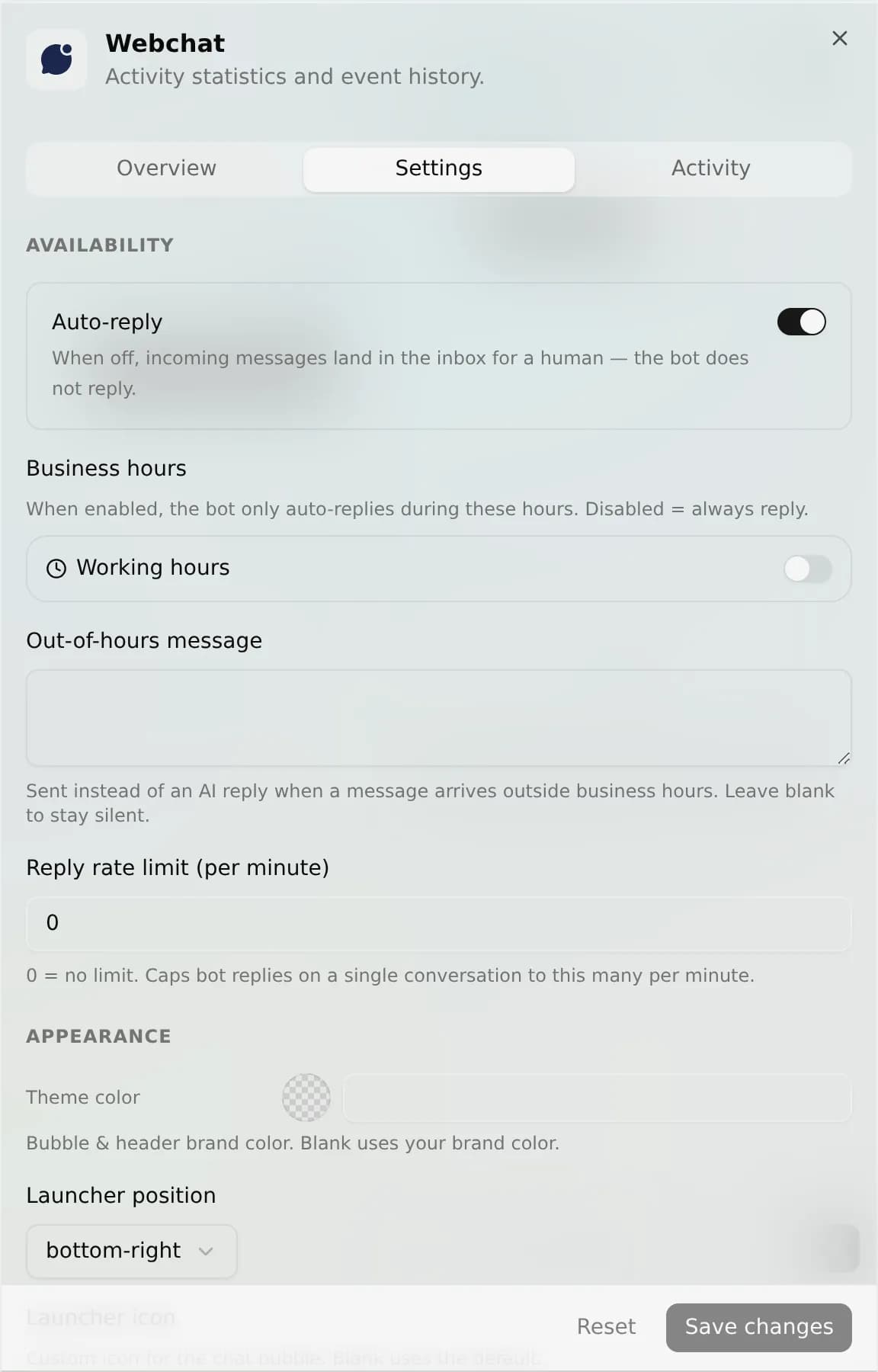
Most channels share the same five controls: auto-reply, a greeting, business hours, an out-of-hours message, and a reply rate limit. AnyBot defines this block once and applies it at a single inbound checkpoint, so the controls behave identically across the channels that use it (WhatsApp, Instagram, Telegram, web chat, and team chat). (SMS, Slack, and email don't share this block. They have their own settings; see the note below.) Every default reproduces the behavior you had before the control existed, so turning nothing on changes nothing.
The five controls
| Setting | What it does | Default |
|---|---|---|
| Auto-reply | When off, incoming messages land in the inbox for a human and the bot does not reply. | On (bot replies) |
| Send a greeting + Greeting message | Sends a welcome message once, on the first message of a new conversation. | Off (no greeting) |
| Business hours | A weekly open-hours grid. When enabled, the bot only auto-replies during those hours. | Disabled (always reply) |
| Out-of-hours message | A canned message sent instead of an AI reply when a message arrives outside business hours. Leave it blank to stay silent. | Blank (silent) |
| Reply rate limit | Caps bot replies on a single conversation to a per-minute number you choose. Zero means no limit. | 0 (no limit) |
How they're evaluated
On every inbound message, the shared block runs in this order before any AI reply is generated:
greeting (first message only) → auto-reply gate → rate limit → business hours → AI reply
If a gate stops the turn (auto-reply off, rate limit hit, or outside business hours) the message is still stored in your inbox; only the AI reply is skipped. Business hours is checked last, so the out-of-hours message is what a customer sees when everything else would have let the bot answer.
Per-channel, not global
These are per-channel settings. Each connected account keeps its own copy. Setting business hours on one WhatsApp number does not touch another. There is no space-wide global default; the platform-wide default simply reproduces the previous always-on behavior. Set each channel from its own Settings tab after you connect it.
Troubleshooting
- The bot went quiet. Check three things in order: is Auto-reply still on, is a reply rate limit capping this busy conversation, and are you outside business hours? Each stores the inbound but skips the reply.
- My greeting never fires. The greeting only sends on the first message of a conversation, and only when both "Send a greeting" is on and the greeting message is non-empty. An ongoing thread will not re-greet.
- Out-of-hours message never sends. It only sends when Business hours is enabled and the current time is outside the grid. With the grid disabled the channel is always open, so the message never triggers.
- Changes didn't apply. Settings are per connected account. Confirm you edited the right channel, not a different account of the same type.
FAQ
Do these apply to human agents? No. Auto-reply, rate limit, and business hours gate only the AI reply. A human can always reply from the inbox.
Does an out-of-hours or throttled message cost tokens? The canned greeting and out-of-hours messages are fixed text, not AI generations. No conversation model runs for them.
Can I set different hours per channel? Yes. Business hours is per-channel, so each connected account can have its own grid.
Next
- Channels overview: all 8 channels and how they share one inbox
- Web chat widget: the welcome-bubble greeting
- Phone numbers: the number behind SMS and voice
- Team chat: internal channel behavior