SMS
Text your agent from any phone. SMS runs on a number you get inside AnyBot, no Twilio account of your own, and the same number also does voice.
SMS runs on a phone number you get inside AnyBot. You never bring your own Twilio account or wire up a gateway. Connecting SMS is a single action that also lights up voice on the same number: one addon, one number, two channels. And unlike the chat channels, SMS does not use the shared auto-reply / business-hours block. Its behavior is tied to the number and the agent you assign it to.
Before you start
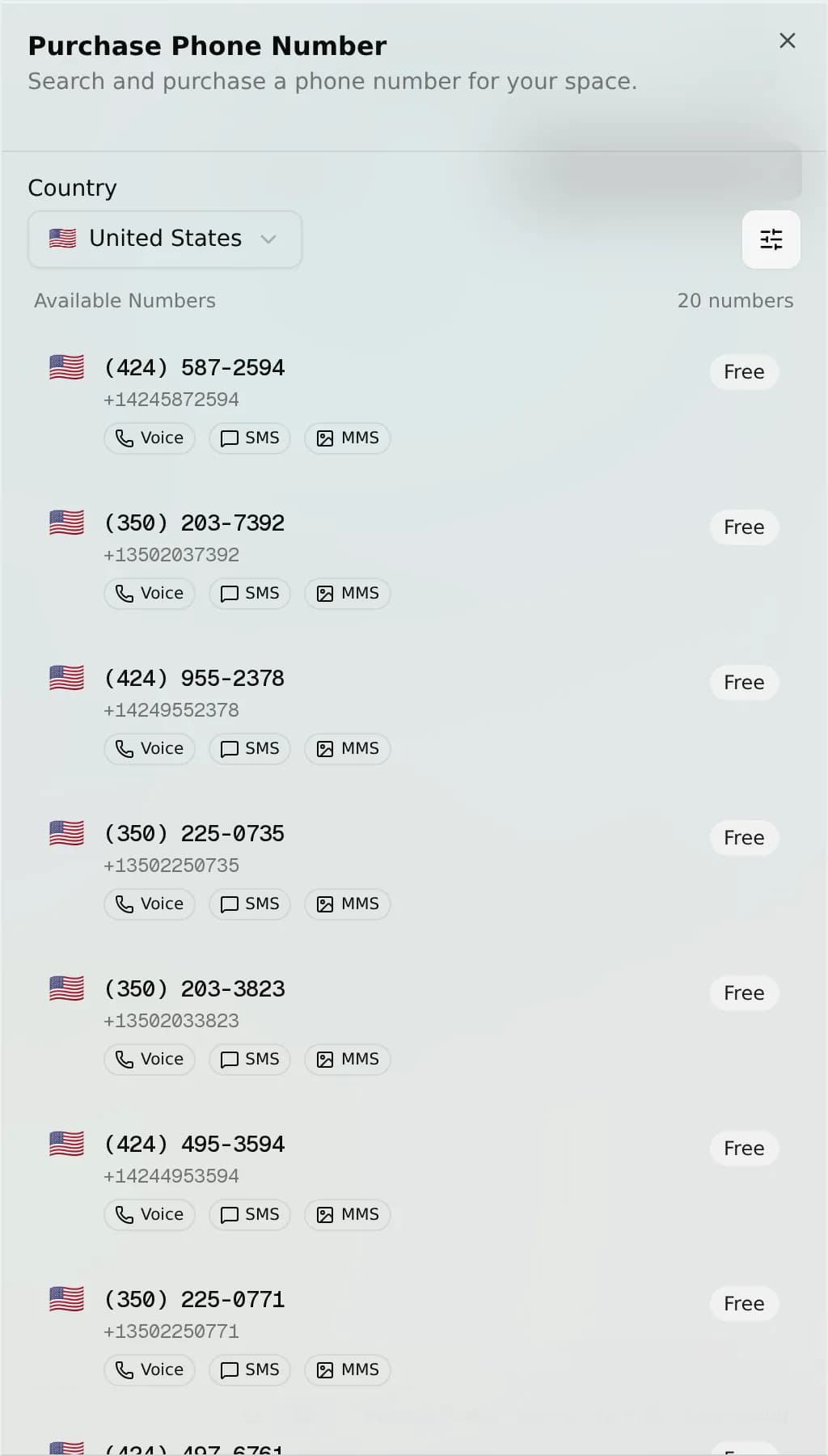
- A phone number in your space. Get one in the Phone numbers area. Search by country or area code, free numbers are available instantly, or paid via a monthly subscription.
- An agent decided on before you connect, so the number starts answering right away.
- Getting numbers and connecting channels is an owner/admin action. You need permission to manage integrations in the space.
Connect
-
Open the Phone numbers area and get a number if you don't have one yet.
-
In your space open Channels → SMS (the Phone & SMS integration). The setup lists the unassigned numbers in your space. Pick one from the Phone Number dropdown.
-
Save. AnyBot assigns the number to your agent and registers Twilio's inbound-SMS and delivery-status webhooks automatically. The channel flips to Connected.
Because SMS and voice share one number, connecting SMS also enables voice on that same number. You can connect more than one number to a space. Each is its own SMS channel on its own agent.
On this channel
Your agent texts both ways over the number:
| Type | Received | Sent |
|---|---|---|
| Text (SMS) | Yes | Yes |
| Picture (MMS) | Yes (the first attached image is read) | Yes (one media attachment) |
| Delivery status | - | Tracked per message |
- Delivery status. Twilio posts a status callback for every message you send, so sent/delivered/failed is recorded against the number and shown in your logs.
- One-to-one. SMS is a direct conversation between the number and one contact. There are no group texts to answer.
- Long messages are split into carrier segments and reassembled automatically; you write one reply.
- Unified inbox. Every text lands in the same inbox as your other channels, with AI reply, human take-over / hand-back, and per-contact mute.
Channel settings
SMS is not part of the shared channel settings block. It has no greeting, business-hours, out-of-hours, or reply-rate controls of its own. What governs an SMS reply is simply the agent assigned to the number (its knowledge and abilities) and whether the number is active. To pause SMS, unassign or release the number in Phone numbers.
Troubleshooting
- My number isn't in the dropdown. The setup only lists numbers that belong to your space and aren't already assigned to another agent. Unassign it from the other agent first, or get a number in Phone numbers.
- Texts aren't arriving. Check the number's state. A Suspended number (a failed monthly renewal) pauses routing until payment recovers. Re-saving the SMS channel re-registers the webhook.
- An incoming picture wasn't read. Only the first image on an MMS is picked up; extra attachments in the same text are ignored.
- A reply shows as failed. Delivery is carrier-dependent. Check the message's delivery status in your logs; landline or unreachable numbers can't receive SMS.
FAQ
Do I need my own Twilio account? No, get a number inside AnyBot; free numbers are available instantly.
One number for texts and calls? Yes, the same number does SMS and voice.
Can it do group texts? No, SMS is one-to-one.
Do business hours and auto-reply apply? No. Those are the shared settings for the chat channels; SMS isn't one of them.
Pictures? Yes, MMS. Your agent reads an incoming picture and can attach one image to a reply.
Next
- Phone numbers: get and assign the number behind SMS and voice
- Voice calls: the agent answers the phone on the same number
- Channel settings: why SMS sits outside the shared block
- Channels overview: all 8 channels in one inbox