Abilities (tools)
Give an agent real actions, a catalogue of live tools across many families, each marked public-safe or owner-only.
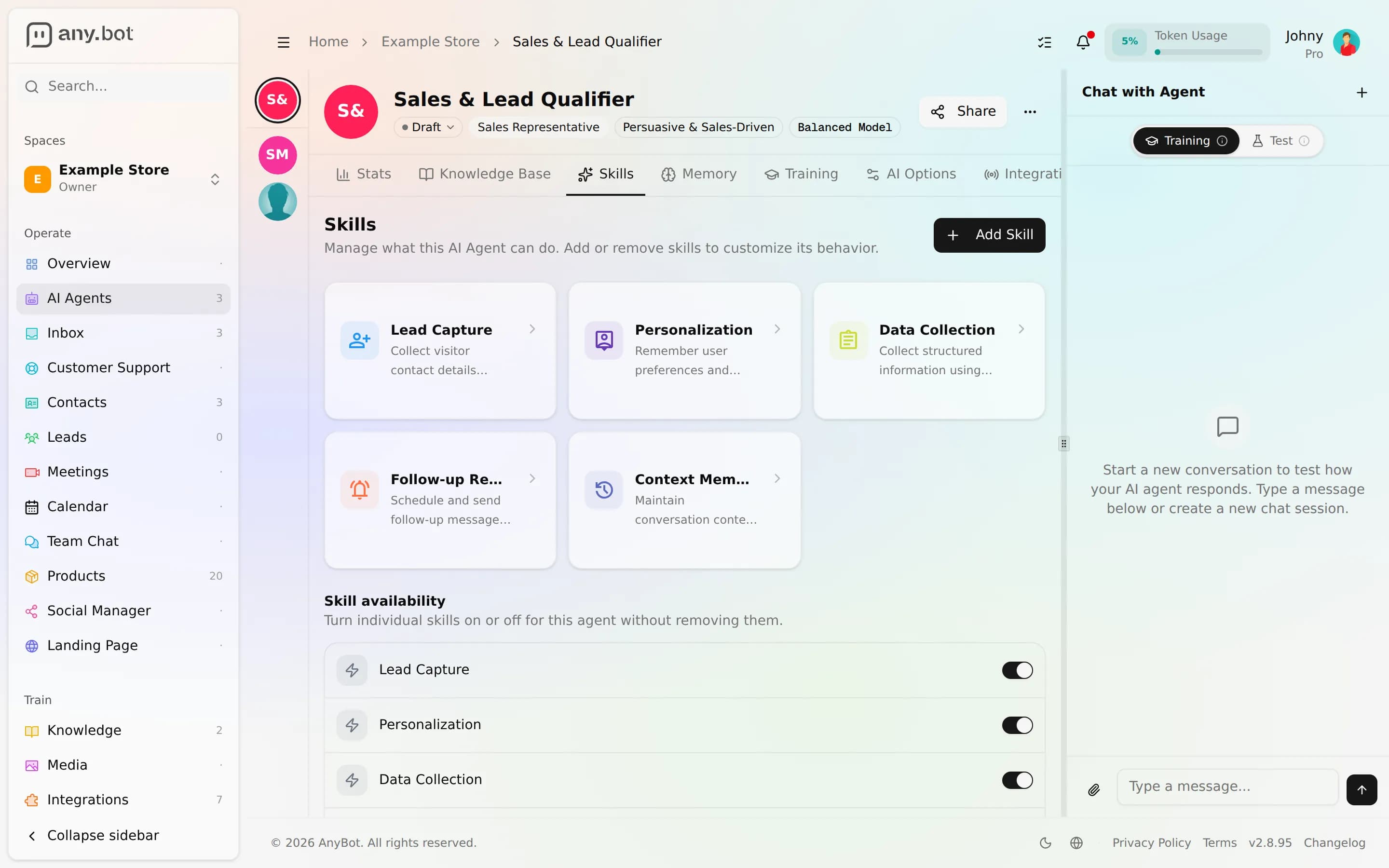
Abilities are the tools an agent can use to do work, not just talk. AnyBot ships 122 live tools across 19 integration families (calendars, CRM, web search, documents, commerce, messaging, and more). You attach them on an agent's Skills tab, and every one is marked either public-safe (a visitor may trigger it) or owner-only (all mutations and internal-data tools), a split enforced in the platform itself.
What an ability does
A knowledge base lets an agent answer; an ability lets it act. With the right tools attached, an agent can check a calendar and book the slot, search the live web and cite sources, read and write documents, look up products, capture a lead into your CRM, or open a support ticket, all mid-conversation, only when the moment calls for it. The agent decides whether to reach for a tool; you decide which tools it may reach for at all.
The families at a glance
Tools are grouped into families, each tied to a capability or a connected service. The main ones:
- Web & knowledge: live web search with citations; read WordPress posts, pages, and media; search and read Notion; read Google Drive files, Docs, and Sheets.
- Scheduling: Google Calendar availability, working hours, and appointment booking; list, create, update, and delete events.
- Commerce: product search, product details, and catalogue browsing.
- CRM & contacts: HubSpot search and contact management; look up and search your own contacts; capture new leads.
- Messaging & publishing: read and send email, read Slack channels and threads, and draft, schedule, and manage social posts.
- Support & finance: open and read customer support tickets; pull Wise balances, rates, and quotes.
- Core: always-available helpers for memory, conversation history, meetings, and groups.
You never see all 122 at once. An agent only offers the tools whose family you've connected, plus the core helpers.
Public-safe vs owner-only
Every tool carries a fixed classification that governs who can trigger it: the agent's owner in the editor, or an anonymous visitor chatting on a public channel.
- Public-safe (27), read and query tools a stranger can safely fire: product and catalogue search, web search, calendar availability, quote generation, and a small set of safe writes.
- Owner-only (95), every other mutation plus all CRM, inbox, finance, ticketing internals, and internal-data tools. A public visitor can never reach these, no matter how the conversation is steered.
The safe-write set is deliberately tiny: an end-user can capture their own lead and book their own appointment, because those writes only ever create the visitor's own record. Everything else that changes data (sending email, posting to social, updating a CRM contact, editing a document) is owner-only. This boundary is a property of each tool, not a setting you can loosen, so you can expose an agent publicly without worrying that a clever prompt unlocks a destructive action.
Turn abilities on and off
The Skills tab is where you manage an agent's tools, and it has two distinct controls:
- Attach / remove: add a tool (or a whole family) to the agent from the ability picker, or take it back off. Removing detaches it completely.
- Enable / disable: a per-agent on/off switch for a tool you've already attached. Toggling it off keeps the tool attached but stops the agent from using it, so you can park an ability without losing its configuration and flip it back on later.
Each attached tool shows a detail view describing what it does and what it can touch, so you can review the exact surface before you turn it loose. Changes are auto-versioned like the rest of the agent, so you can experiment and roll back.
How integrations grant abilities
Most families don't appear until you connect the service behind them. Connecting an integration (Google, HubSpot, Slack, Notion, WordPress, Wise, a commerce store) makes that family's tools available to attach; disconnect it and they go away. In other words, integrations are the supply and the Skills tab is where you draw from it: connect once, then choose per agent which of the newly-unlocked tools it may use. See the Integrations directory for the full catalogue and how to connect each one.
Next
- Testing your agent, watch each tool step stream in the live test chat
- Behavior & guardrails, decide when the agent is allowed to act
- Integrations, connect the services that unlock each family