Connect a mailbox by Gmail sign-in or IMAP/SMTP (often an app password). Inbound mail becomes conversations in your inbox and the agent replies by email.
Email is the one channel your customers already have. Connect a mailbox two ways (one Google sign-in for Gmail, or IMAP/SMTP details for any other provider), and inbound mail becomes a conversation in your unified inbox, where the agent replies by email under a from-name and signature you choose. Unlike most channels, email does not use the shared settings block; it has its own controls. And email is dual-surface: it is a reply channel here and a read-only agent tool family, more on that below.
Before you start
- The email address you want the agent to answer from.
- Gmail / Google Workspace: nothing else. You sign in with Google.
- Any other mailbox: the IMAP host/port/encryption and SMTP host/port/encryption, plus the username and password. Most providers with 2-step verification (Yahoo, iCloud, Outlook, Zoho) need an app password, not your normal login password.
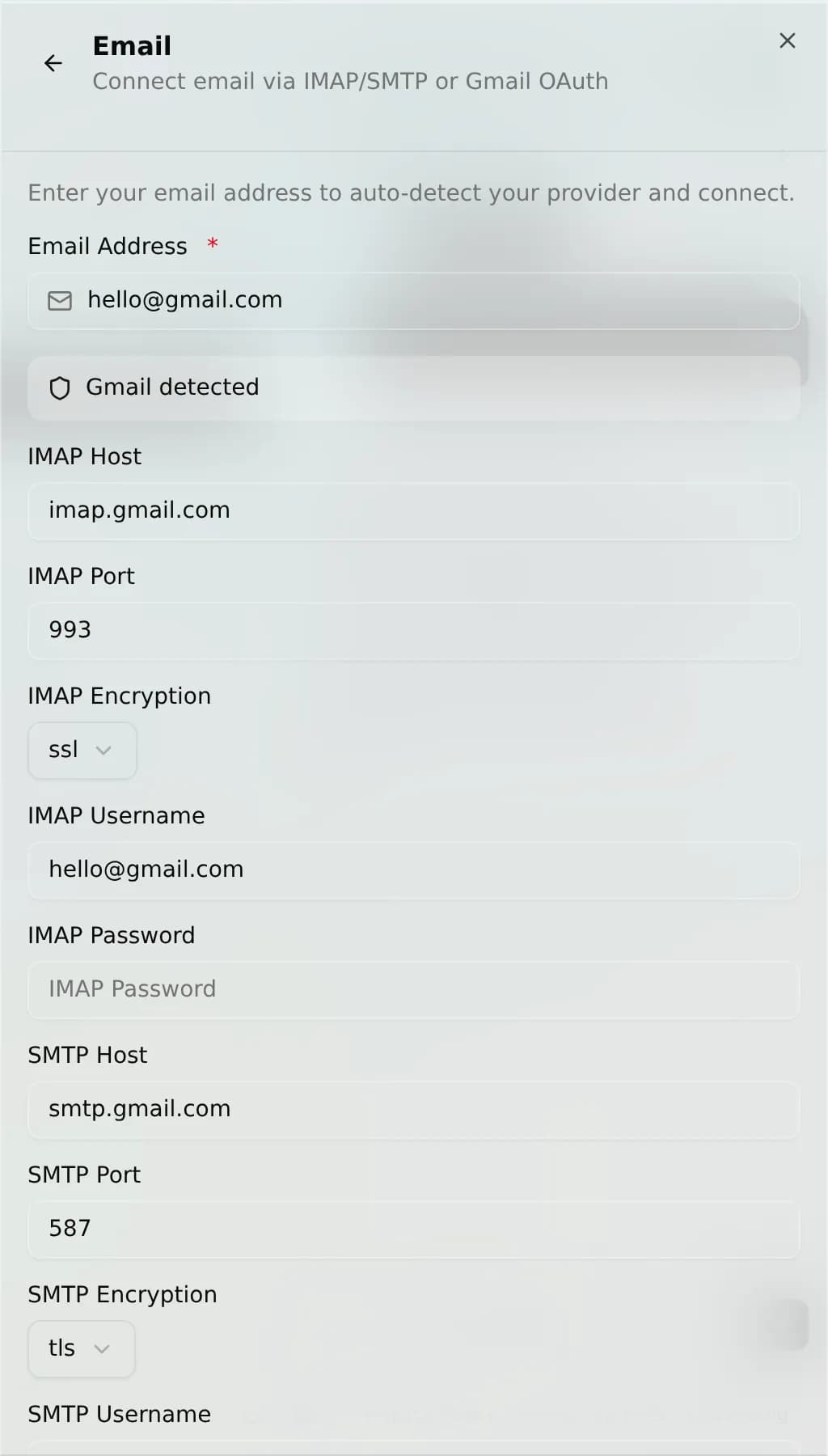
AnyBot auto-detects settings for common domains (Gmail, Outlook/Hotmail, Yahoo, iCloud, Zoho) from a built-in table, and falls back to the Mozilla autoconfig database for unknown domains, so for most providers the ports and hosts fill themselves in from your address.
Connect
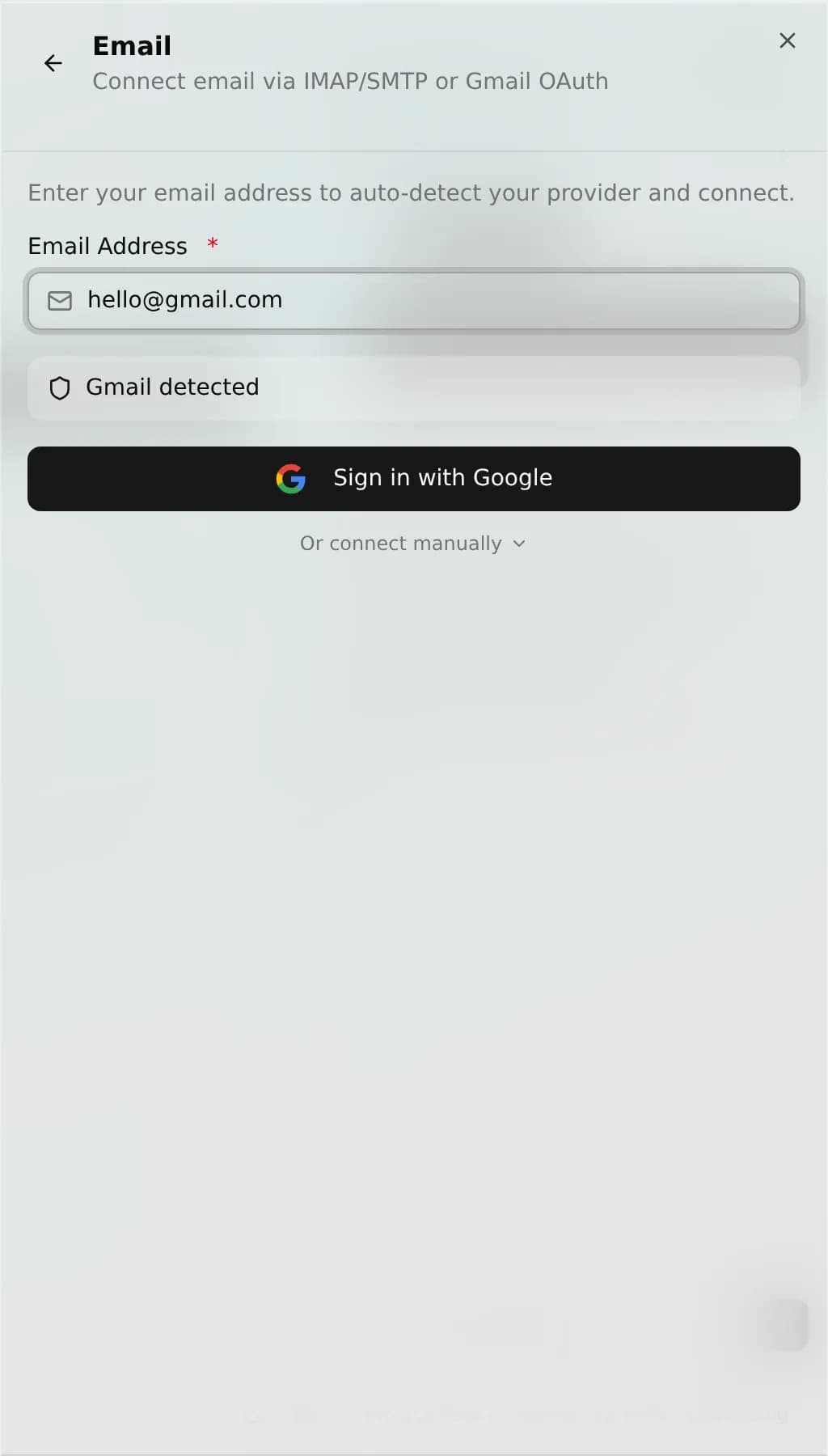
- Go to Channels → Add channel → Email.
- Enter your email address. If it is a Gmail address, choose Sign in with Google and grant access, done.
- For any other mailbox, the form pre-fills IMAP host, port, encryption and SMTP host, port, encryption where it recognizes the domain. Fill or confirm them, then enter your username and password / app password.
- Save. AnyBot verifies the incoming (IMAP or Gmail) connection on install and reports back if it fails; the outgoing path is exercised when the first reply sends.
On this channel
| Direction | What flows |
|---|---|
| Receives | Inbound mail: the subject line and message body become the conversation text and thread into your inbox. |
| Sends | New messages and replies, via the Gmail API (OAuth) or your SMTP server (password). |
The agent's channel reply goes out with a Re: subject so it reads as a response. It sends as a new message rather than stitching into the original mail thread at the header level. For true in-thread replies, the agent's email reply tool (see the email tool family) is the one that sets the threading headers.
Settings: its own, not the shared block
Email skips the auto-reply / greeting / business-hours block. Its Settings tab has three controls instead:
- From name: the display name on outgoing replies (defaults to
AnyBot). - Signature: text appended to the bottom of every reply. Blank by default.
- Read-only: when on, the agent can read mail but the outbound tools are hidden, so it never sends, replies, marks read, or moves messages.
Dual surface: the email tool family
Beyond this reply channel, a connected mailbox also gives the agent read/write email tools (documented under Email tools). The Read-only setting above is exactly what hides the write half of this family:
| Tool | Access | Type | What it does |
|---|---|---|---|
email_read_inbox | Owner-only | Read | List recent inbox messages. |
email_search | Owner-only | Read | Search mail by subject, sender, or body. |
email_get_message | Owner-only | Read | Fetch one message's full content. |
email_send | Owner-only | Write | Send a new email (hidden when read-only). |
email_reply | Owner-only | Write | Reply in an existing thread (hidden when read-only). |
email_mark_read | Owner-only | Write | Mark a message read (hidden when read-only). |
email_move | Owner-only | Write | Move a message to a folder/label (hidden when read-only). |
Troubleshooting
- "IMAP host is required" on save. For non-Gmail mailboxes the IMAP host is mandatory. If auto-detect didn't recognize your domain, enter host, port, and encryption manually.
- Login rejected. Providers with 2-step verification refuse your normal password. Generate an app password and use that for both IMAP and SMTP.
- Reads but won't send (or vice-versa). IMAP (reading) and SMTP (sending) authenticate separately. A wrong SMTP port or encryption breaks sending only; fix that half independently.
- Agent isn't replying at all. Check the Read-only setting is off. With it on, the agent can read but never send.
FAQ
Do I need a special provider? No, Gmail in one sign-in, or any IMAP/SMTP mailbox.
Does it keep the thread? The channel reply uses a Re: subject so it reads as a response; header-level threading (keeping it in the same conversation) is handled by the agent's email reply tool, not the channel itself.
Can I connect more than one mailbox? Yes, email supports multiple connected accounts, each with its own settings.
Is this the same as the read-only Slack-style tools? Same idea: email is both this reply channel and a read-only tool family; the Read-only toggle chooses which.
Next
- Channel settings: the shared block email opts out of, and why
- Email tools: the email tool family and its owner-only tools
- Slack: the other dual-surface channel-plus-tools
- Channels overview: all 8 channels and the unified inbox