Roles & permissions
Four roles set the baseline; a granular per-member matrix of 17 permissions lets you grant or revoke exactly what each teammate can do.
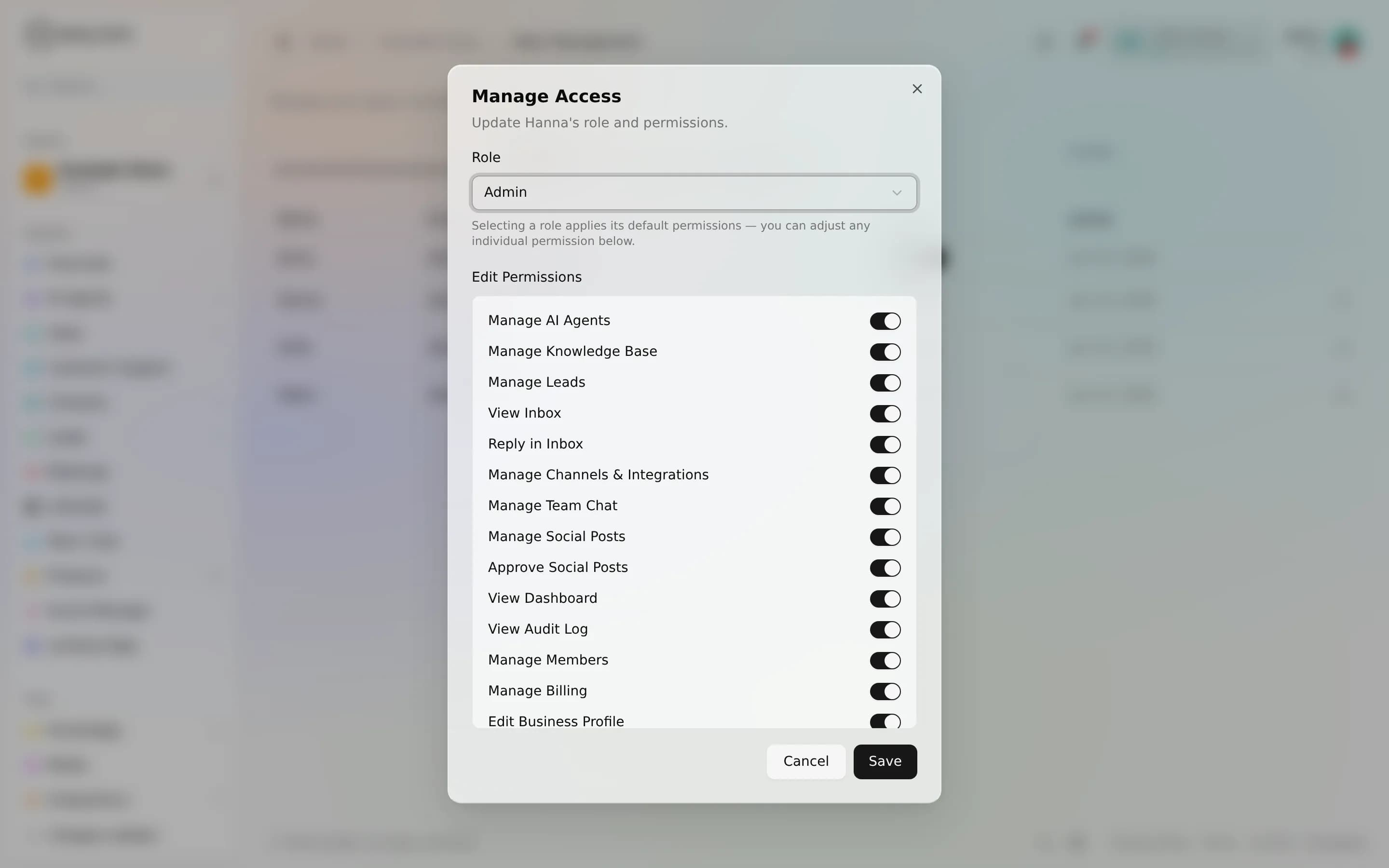
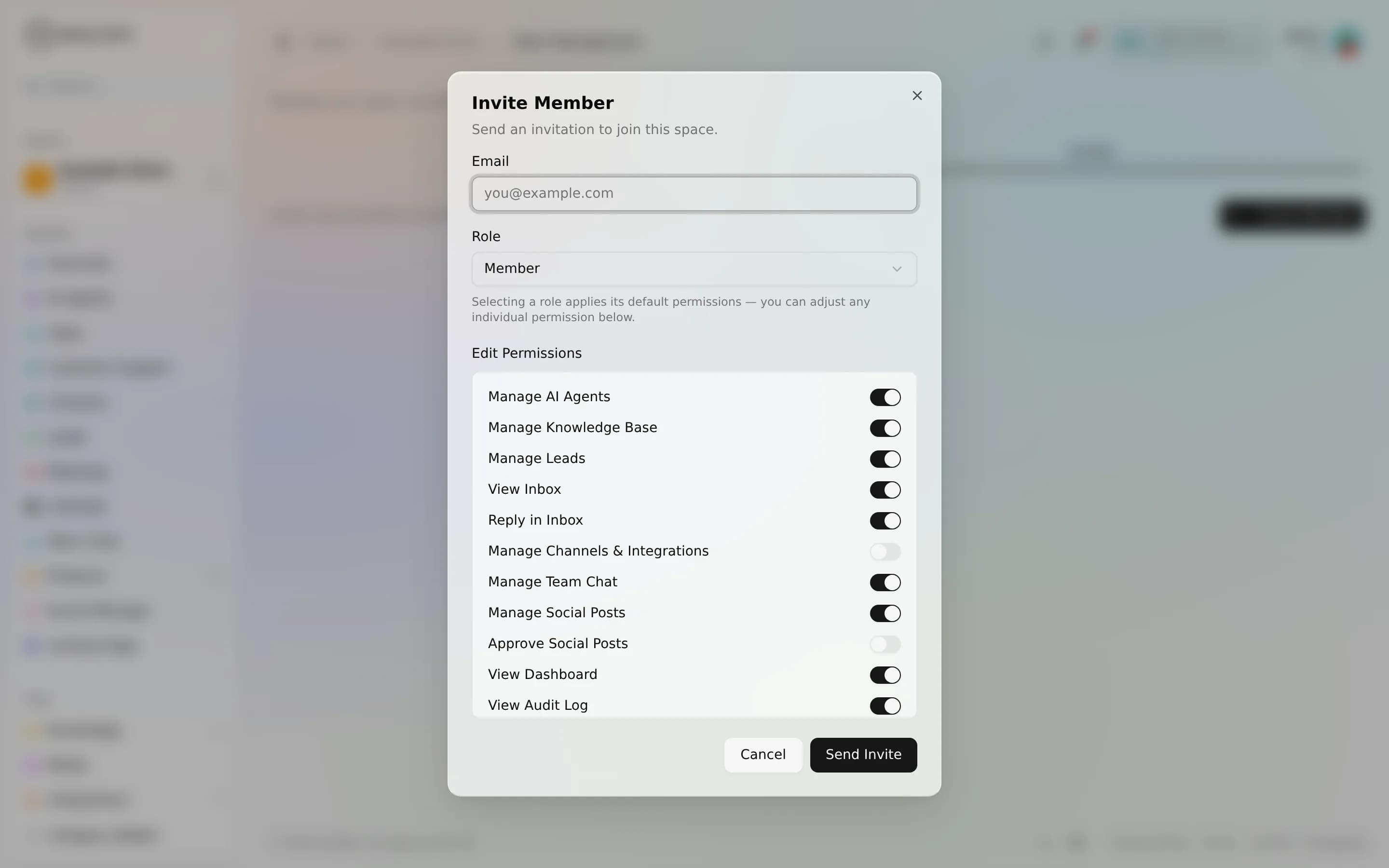
Access in a space works in two layers. A role sets a sensible baseline, and a per-member permission matrix lets you grant or revoke individual capabilities on top of that role. So a teammate can be a "member" for most things but still, say, see the audit log, without making them an admin. There are 4 roles and 17 role permissions.
The four roles
Every member of a space holds exactly one role. The role decides the default answer for each permission before any per-member fine-tuning.
| Role | Who it's for | Baseline access |
|---|---|---|
| Owner | The person who created the space | Everything, always; cannot be reduced |
| Admin | Trusted operators who run the space day to day | Nearly everything; billing is off by default but can be granted |
| Member | Working teammates | Broad access is grantable per person; team and billing controls are off |
| Viewer | Read-mostly / stakeholders | Analytics by default; inbox is grantable; most actions denied unless granted |
There is always exactly one owner. You can't change or remove your own role, and the owner's permissions can't be dialed down. This prevents anyone locking themselves (or the space) out.
How a permission resolves
Each of the 17 permissions has one of three settings per role:
- Always: allowed for that role, not adjustable.
- Grantable: off by default, but you can switch it on for an individual member.
- Denied: never available to that role, even with a per-member toggle.
The effective answer is the role default, then a per-member override only where the role marks the permission grantable. That seam keeps the matrix flexible without diluting the roles.
The permission groups
The permissions cluster into a handful of areas. You don't need to memorize all 17. Think in groups:
| Group | Covers | Owner | Admin | Member | Viewer |
|---|---|---|---|---|---|
| Bots & knowledge | Build agents, manage RAG knowledge | Always | Always | Grantable | Denied |
| Team & access | Invite/edit members and their permissions | Always | Always | Denied | Denied |
| Billing | Plan, tokens, payment | Always | Grantable | Denied | Denied |
| Integrations | Add-ons and integrations | Always | Always | Grantable | Denied |
| Conversations & leads | Inbox, replies, leads, support | Always | Always | Grantable / mixed | View-only or denied |
| Content & media | Products, media, social, social approvals | Always | Always | Grantable | Denied |
| Analytics & audit | View analytics, view audit log, edit profile | Always | Always | Mostly grantable | Analytics always; audit grantable |
Two deliberate rules stand out. Team & access (managing members and their permissions) is owner/admin only. It is never grantable to a member or viewer, so people can't widen their own access. And billing is the owner's by default and can be handed to an admin, but never to a member or viewer. Viewing analytics, by contrast, is Always for every role. Everyone can see how the space is doing.
Worked examples
- A marketing hire who publishes but doesn't approve. Add them as a member, grant social publishing, leave social approval off. They draft and schedule, but a lead still signs off.
- A finance contact who only pays the bill. Add them as an admin and grant billing. They handle the plan without touching your agents.
- A stakeholder who should watch, not touch. Add them as a viewer; they see analytics by default. Grant view inbox if they need to read conversations, or view audit log for the compliance trail.
Inviting and changing members
Owners and admins with the team-management permission invite teammates by email, choosing a role and an initial permission snapshot at invite time. The invite is single-use and time-limited; when the person accepts, that snapshot is applied to their membership. You can retune any member's role and grants later from the members screen. The owner's role is the only one that's fixed.
Every one of these changes is recorded. Role edits, permission grants and revokes, invites, and removals each write an entry to the space audit log (AnyBot audits 559 audited actions in total), with a field-level before/after diff of what changed.
FAQ
Can two people be owner? No, a space has exactly one owner. Grant an admin the permissions they need instead.
Does a role override a per-member grant? The role sets what's possible. Where a permission is "grantable" for that role, your per-member toggle wins; where the role says "denied," no toggle can turn it on.
Who can see the audit log? Owners and admins always can; members and viewers can be granted it individually. The roles and the permission set themselves are fixed by the platform. You tune who holds what, not the shape of the matrix.