Google Calendar
Connect a calendar and let your agent offer free slots and book appointments, a public-safe front-desk that never reveals what's on your calendar.
Connect Google Calendar with one Google sign-in and your agent turns into a booking front desk. It can offer a visitor your open slots and book one, while everything that reveals or edits actual events stays owner-only. Seven tools in all, split cleanly so a website stranger can reserve time without ever seeing your calendar.
Connect
- Open Integrations and choose Google Calendar.
- Click Sign in with Google and grant calendar access on the consent screen.
- The connection attaches to one agent, which can now check availability and take bookings.
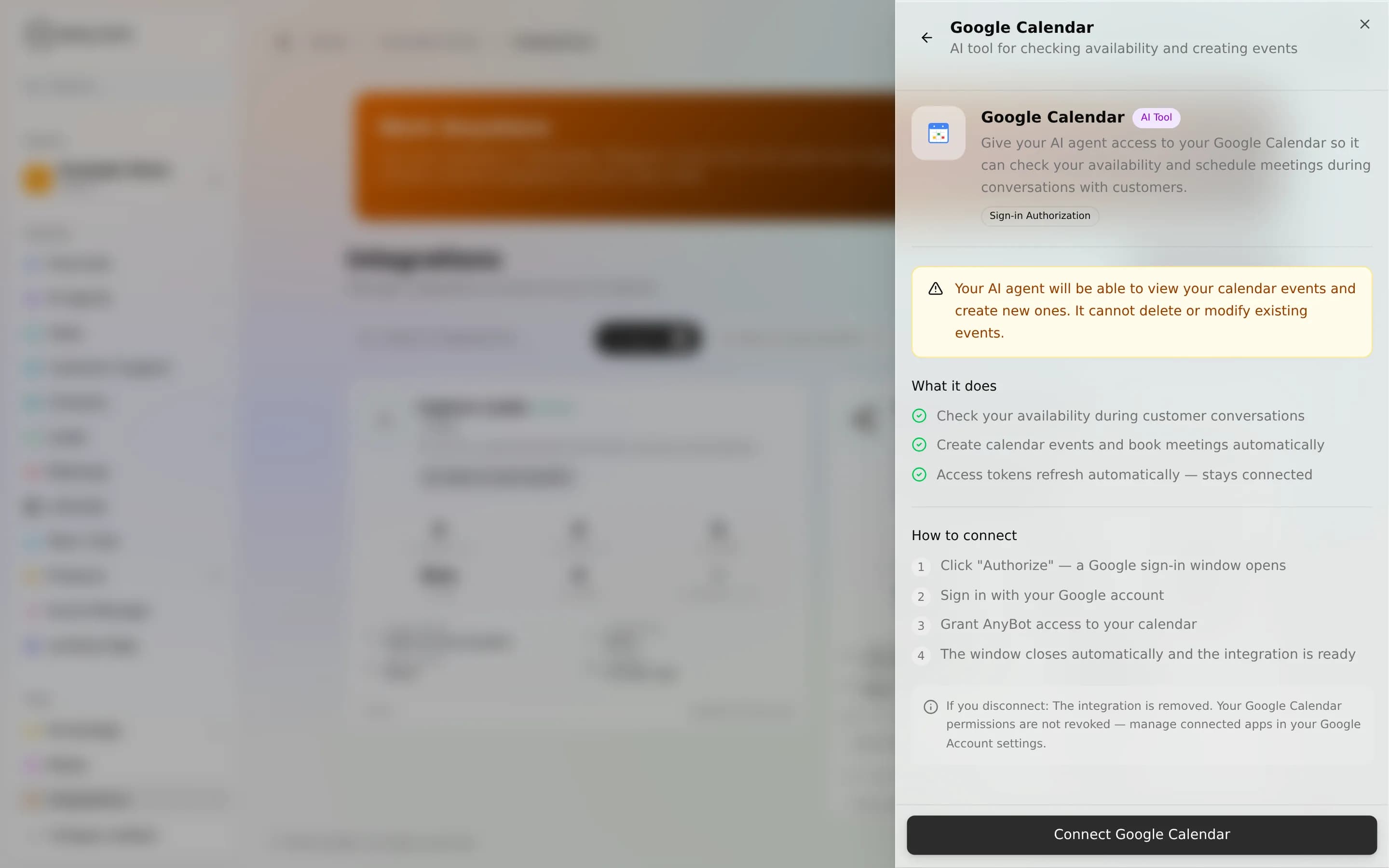
The real gotcha is your working hours and timezone. Availability and booking are bounded by the connection's working hours; if those aren't set, the agent falls back to UTC and may offer slots outside your real day. Configure your hours and timezone before you point a public agent at the calendar, or every quoted slot will be off.
Tools
| Tool | Access | Type | What it does |
|---|---|---|---|
google_calendar_availability | Public-safe | Read | Checks a date range and returns only free time slots per day, filtered by your working hours. Never exposes event titles or details. |
google_calendar_book_appointment | Public-safe | Write | Books an appointment. Validates the requested slot is within working hours and still free, then creates it, without revealing any other event. |
google_calendar_working_hours | Owner-only | Read | Returns the configured working hours: timezone and per-day start and end times. |
google_calendar_list_events | Owner-only | Read | Lists real events (title, start, end, status, location) for a date range. Reveals event details, unlike availability's free/busy view. |
google_calendar_create_event | Owner-only | Write | Creates an event from a title and start time. Duration defaults to 30 minutes; optional description, location, and attendees. |
google_calendar_update_event | Owner-only | Write | Updates an existing event's title, time, description, location, or attendees. |
google_calendar_delete_event | Owner-only | Write | Deletes an event by ID. |
Public-safe vs owner-only
Only availability and book appointment are public-safe, the deliberate front-desk pair. Availability returns free/busy blocks with no titles; booking confirms one slot and nothing else. Both are safe for a website visitor to trigger.
The other five are owner-only, reachable only by you and your team: working_hours, list_events (which does return event titles and details), and the three event mutations create / update / delete. A stranger chatting to your public agent can reserve time but can never read what's already booked or change an existing entry.
Worked example
A visitor asks your website agent, "Do you have anything Thursday afternoon?" The agent calls google_calendar_availability, sees your open in-hours blocks, and replies "I have 2:00, 3:30, or 4:00." The visitor picks 3:30 and gives a name; the agent calls google_calendar_book_appointment, which re-checks the slot is still free, books it, and confirms, all without the visitor ever seeing another appointment on your calendar.
Limits & honesty
- Read-only where it counts for visitors. The public pair can only read free/busy and add one booking. Reading event details or editing events is owner-only by design.
- Hours and timezone drive everything. Slots are computed from your working hours in your timezone; an unset timezone defaults to UTC. See the connect note above.
- One agent per connection. The calendar attaches to the agent you connect it to.
- No SMS or email reminders are sent by this integration. It books the slot; notifications are a separate concern.
Troubleshooting
- Agent offers odd hours or the wrong day: working hours or timezone aren't set, so it's defaulting to UTC. Configure them and re-test.
- "Slot no longer available" on booking: the appointment tool re-validates freshness at book time; someone took the slot between the quote and the confirm. Offer the next free one.
- Visitor can't see a past booking: expected. Listing events is owner-only; public agents never read the calendar back.
FAQ
Can a website visitor see what's on my calendar? No. The public tools return only free/busy and a booking confirmation. list_events is owner-only.
Can the agent reschedule or cancel? Only your owner-facing agents can: update_event and delete_event are owner-only. Public visitors can book, not edit.
Is this the same as connecting Gmail or Drive? No. Those are separate Google surfaces. See Google Workspace.
Next
- Meetings & Note Taker, record and summarize the calls you book
- Google Workspace, Gmail, Drive, Docs, and Calendar together
- Agent abilities, how tools attach to an agent
- Integrations overview