Image generation
Generate on-brand images in-house with the live model, steer results with reference images, keep them on-brand, and collect them from an async pipeline.
Image generation is the most exercised of the media pillars by a wide margin, and video is newer. You describe what you want, AnyBot refines it into a brand-aware prompt, and the live image model renders it, inside the same product that stores and publishes it. Generate up to ten variations per request, choose a supported aspect ratio, steer the look with your own reference images, and let your brand assets keep every result on-brand.
Before you start
- You need a space and an agent. Generation runs in your space and bills its ABT; see Create your space.
- Optional but recommended: add brand assets to your Materials & Brand Kit first so results match your look from the first try.
- Generation is asynchronous. You won't wait on a spinner. You get an immediate "pending" acknowledgement and collect the result when it's ready.
How to generate an image
- Open the Media Studio and choose Image.
- Write a brief, a plain-language description of the visual you want. AnyBot refines it into one brand-aware prompt using your agent's persona and any brand context.
- Pick your options: aspect ratio (1:1, 9:16, or 16:9), how many variations (up to ten), and, if you want, an optional style hint.
- (Optional) Attach reference images to steer style and composition.
- Click Generate. The request is accepted immediately and moves into the async pipeline.
- Watch progress in the Tasks Center or in realtime, then collect the finished images from Media Drive.
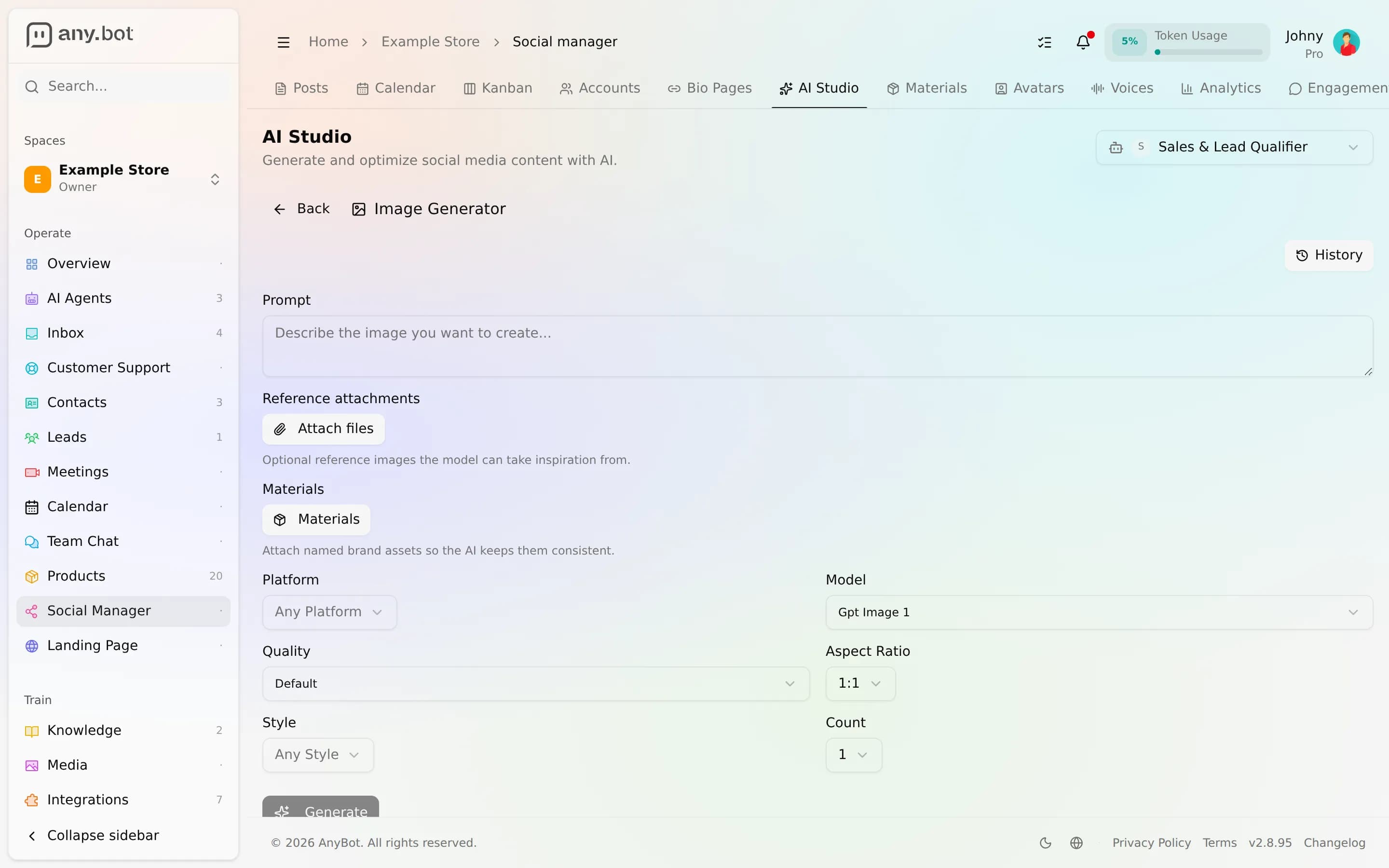
The live model
The live image model is OpenAI's gpt-image-1. It's the default, and today it's the only image model surfaced as available. We're growing the fleet and light new models up only once they're live.
| Capability | What gpt-image-1 supports |
|---|---|
| Aspect ratios | 1:1, 9:16, 16:9 |
| Variations per request | Up to 10 |
| Reference images | Up to 16 |
| Quality (advanced) | low · medium · high |
| Output | On-brand image assets, saved to Media Drive |
Reference images
Attach up to sixteen reference images to guide the result. AnyBot uses them as visual context so the render follows the style and composition you're after. If you attach more than the model can use, the extras are dropped and you're told which ones, the request still succeeds. Non-image attachments are ignored with a note rather than failing the whole generation.
Brand-aware generation
Generation is brand-aware, not brand-blind. When you keep assets in your Materials & Brand Kit, logos, product shots, colors, the image-bearing ones are fed into the render as reference context and the rest ground the prompt refinement, so output reflects your actual brand. The space-level Brand Kit applies your logo, colors and fonts (plus a default model) to what you generate.
How generation runs (async)
Image generation is a request-and-collect flow, not a blocking call:
Brief  →  refine brand-aware prompt  →  render (gpt-image-1)  →  upload to Media Drive  →  ready
  (accepted: pending)          progress (Tasks Center / realtime)              terminal: collect
A failed generation isn't double-charged, and if only some variations in a batch fail to save, you get, and pay for, only the ones actually delivered. For the full lifecycle, see How generation works.
Limits
- Ratios: 1:1, 9:16, 16:9 only.
- Variations: up to ten per request.
- Reference images: up to sixteen per request; extras beyond the model's ceiling are dropped with a warning.
- Metering: billed per image on the image pool, see Media billing. Plans differ by allowance, not by which ratios or features you get.
Troubleshooting
- Nothing appeared right away. Expected, generation is async. Check the Tasks Center; the images land in Media Drive when they're ready.
- Only some of my variations arrived. A transient save failure drops individual images from a batch without discarding the rest; you're billed only for the delivered ones. Regenerate to try for the full set.
- My reference images were ignored. Non-image files are skipped, and references beyond the model's cap are dropped, the request tells you which and still completes.
- Results don't look on-brand. Add your logo, colors, and product shots to your Materials & Brand Kit and reference them in the brief.
FAQ
Which model runs today? gpt-image-1. It's the default and the only image model surfaced as live; others appear only once enabled.
Can I generate video or a talking-head avatar here? Those have their own studios, see Video generation and the Avatar & voice studio. Video is available on every paid plan.
How am I billed? Per image, on the dedicated image pool, see Media billing.
Can I match my brand? Yes, generation is brand-aware and draws on your Materials & Brand Kit.