Commerce (Shopify & WooCommerce)
Sync your WooCommerce catalogue or crawl your website so the agent recommends and quotes real, in-stock products in a conversation. Sync, not transactional. Shopify storefronts connect from the Integrations Store.
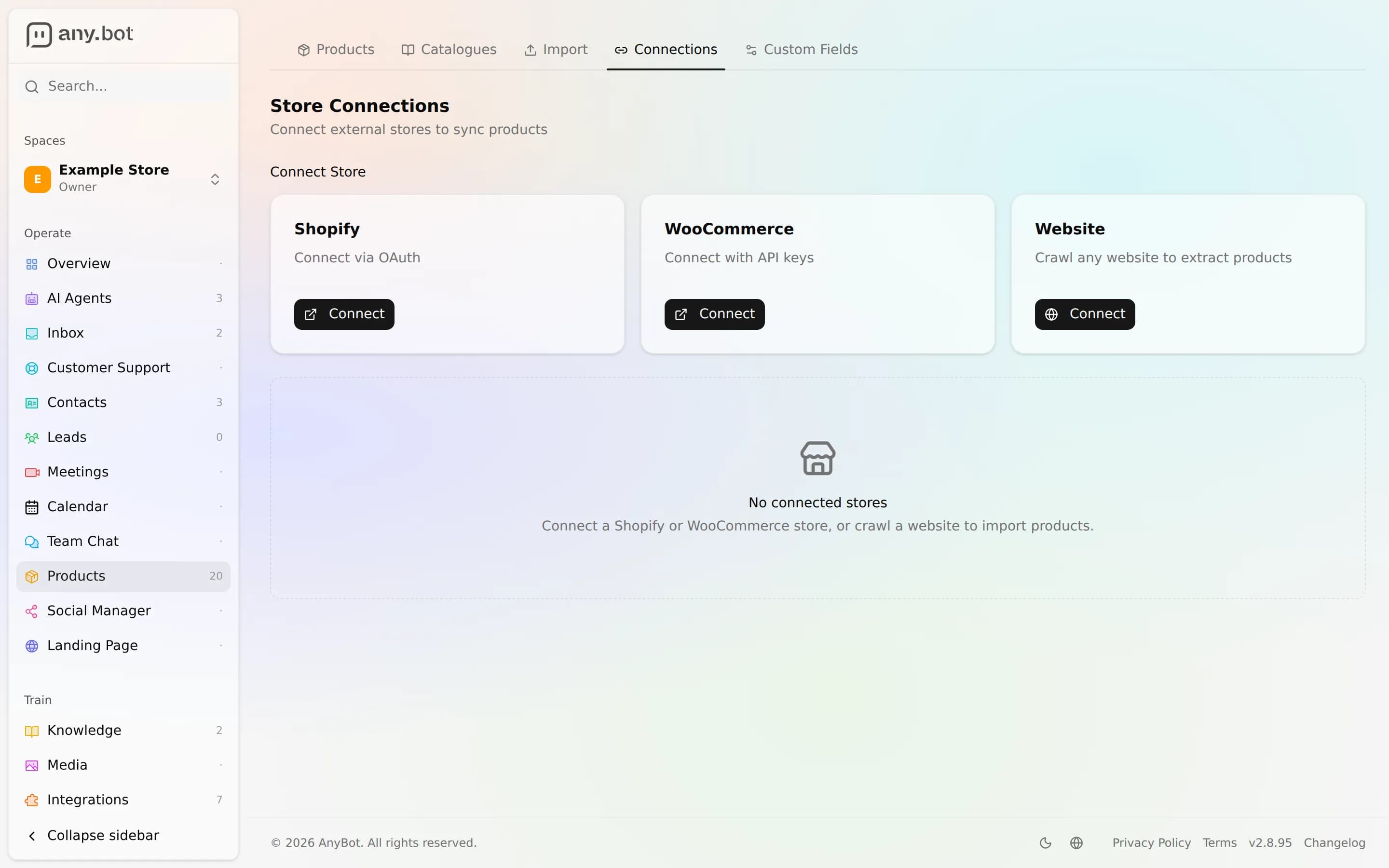
Connect WooCommerce, or crawl your website, to sync your product catalogue into AnyBot. Your agent can then search that catalogue, recommend real products, and quote live prices inside a chat, on any channel. This is read and sync only: it is not a transactional integration. Shopify storefronts connect from the Integrations Store, see below.
Connect
- Open Integrations and choose Commerce.
- Pick your source:
- WooCommerce: paste the store URL and a read API key pair.
- Or import products by crawling your website, no store platform needed.
- Shopify: open the Integrations Store, choose Shopify and follow the setup on its page.
- Run the sync, then attach the products add-on to the agent that should answer product questions.
The real gotcha: the agent reads a synced copy of your catalogue, not your live store. Products land in AnyBot's product store at sync time. If you change prices or stock in WooCommerce, the agent keeps quoting the old figures until the catalogue is re-synced. Treat the sync cadence, not the store, as your source of truth for what the agent will say.
Tools
| Tool | Access | Type | What it does |
|---|---|---|---|
product_search | Public-safe | Read | Search and filter the synced catalogue by text, category, tag, price range, or collection. Returns a paginated list of matching products. |
product_details | Public-safe | Read | Fetch one product by UID or SKU: full description, images, tags, variants, price, and stock quantity. |
product_catalogues | Public-safe | Read | List the available catalogues (collections) with each one's name, description, and product count. |
All public-safe reads
Every commerce tool is public-safe. A website visitor can trigger it, because product data is meant to be seen. All three commerce tools are read-only, so a chat can never mutate your catalogue. That's the opposite of CRM, where every tool is owner-only. Put commerce on a customer-facing agent with confidence.
Worked example
A visitor asks: "Do you have a waterproof jacket under 100, in blue?" The agent runs product_search with a text query and a price ceiling, gets back matching items, then calls product_details on the best fit to read its variants and confirm the blue option is in stock, and answers with the real name, price, and a link. No human, no order placed.
Limits & read-only
- Sync, not transactional. There is no in-chat checkout, order lookup, refund, cancellation, or discount-code creation. The agent describes and quotes products; it never changes an order.
- Prices and stock are as-of the last sync, not live. Re-sync after catalogue changes.
- No write tools exist for commerce. Nothing the agent does can alter a product or a store.
Troubleshooting
- Agent says it has no products: the products add-on isn't attached to that agent, or the catalogue sync hasn't run. Re-check the connection and re-sync.
- Wrong price or "out of stock" is stale: re-sync; the agent reads the synced copy, not the live store.
- Missing products: draft/archived items are skipped; only active products sync into search.
FAQ
Can the agent place or refund an order? No. Commerce is read and sync only: no order mutations of any kind.
Can a website visitor browse products? Yes, all three tools are public-safe and safe on a customer-facing agent.
Do I need WooCommerce? No. You can crawl your website to import products instead. Can I use Shopify? Yes. Shopify storefronts are in the Integrations Store, in the Commerce category.
Next
- Custom API, connect a store or system with no built-in integration
- CRM: HubSpot & Salesforce, owner-only contact actions, connect with a simple sign-in
- Agent abilities, how tools attach to an agent
- Integrations overview