CRM: HubSpot & Salesforce
Connect HubSpot or Salesforce with a simple sign-in from the Integrations Store. The HubSpot tools search contacts, create and update them, and log notes and tasks.
HubSpot and Salesforce both connect with a simple sign-in from the Integrations Store. This page covers how to connect each CRM and exactly what the HubSpot tools do once connected.
Connect HubSpot
- Open the Integrations Store and choose HubSpot (in the CRM category).
- Sign in to HubSpot and pick the HubSpot account to link.
- Attach the connection to the agent that should act on your CRM.
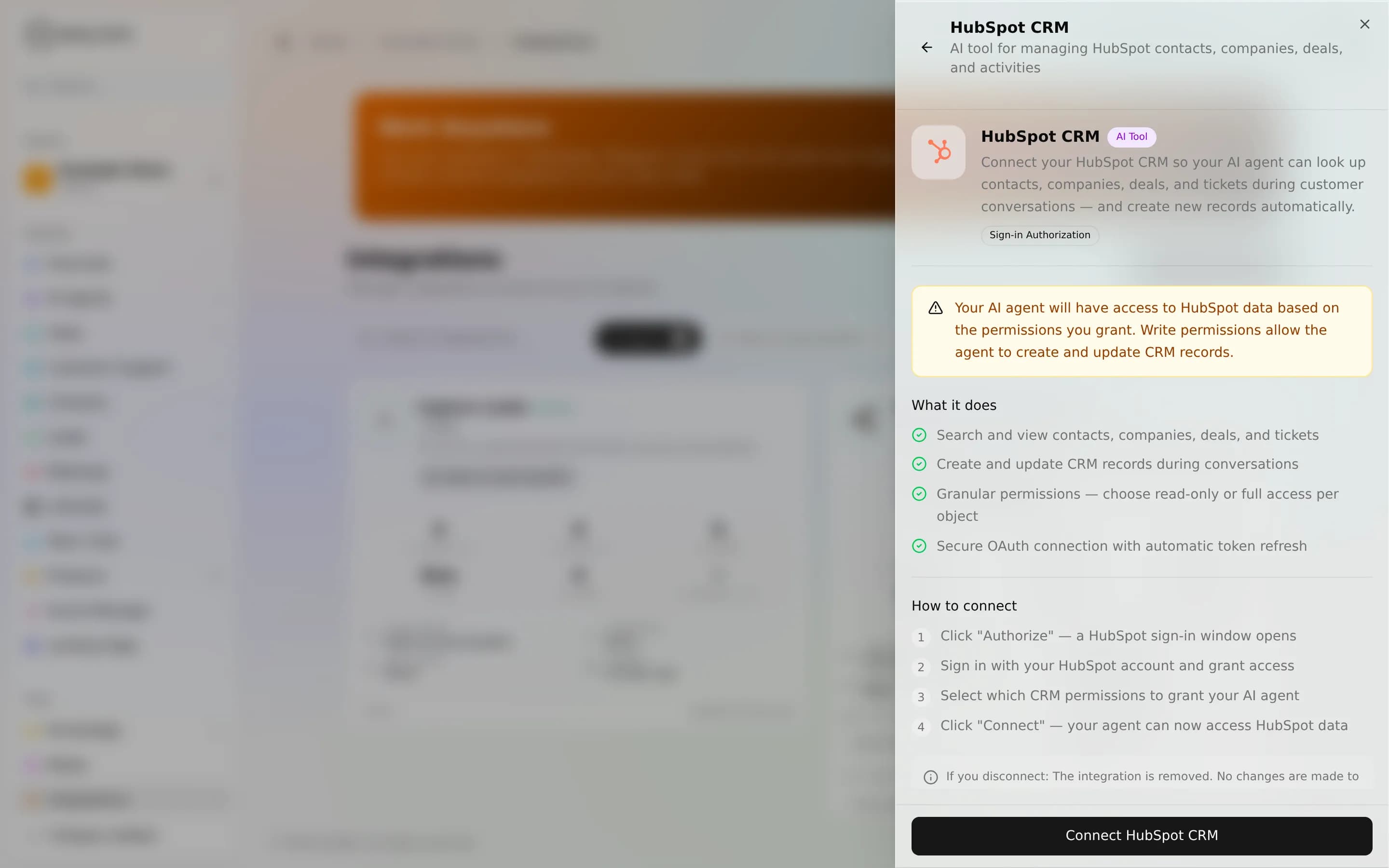
The real gotcha: every HubSpot tool is owner-only. They run on your internal surfaces (the dashboard and BotFather) and never for a website visitor, because CRM records hold third-party PII. A public web-chat agent will not see them even after you connect. What the agent can touch is also bounded by the scopes and permissions of the HubSpot account you authorized.
Tools
| Tool | Access | Type | What it does |
|---|---|---|---|
hubspot_search | Owner-only | Read | Search contacts (and other CRM objects) by name, email, phone, company, lifecycle stage, or owner. Returns matching records with their HubSpot ids. |
hubspot_create_contact | Owner-only | Write | Create a new contact, with optional owner and lifecycle stage; can dedupe by email so you don't spawn duplicates. |
hubspot_update_contact | Owner-only | Write | Update an existing contact by id (from a search): name, email, phone, company, or lifecycle stage. |
hubspot_log_activity | Owner-only | Write | Log a note or a task against a contact: record what was discussed, or create a follow-up. |
Owner-only, all four
There is no public-safe HubSpot tool. All four of these are owner-only and marked sensitive, so their calls stay hidden from the chat stream and a website visitor can never reach your CRM through an agent. Use HubSpot on an internal agent, one your team talks to, not on a customer-facing bot.
Worked example
You tell your internal agent: "Find John Smith and note that he asked about enterprise pricing, then set him to a sales-qualified lifecycle stage." The agent runs hubspot_search to get John's contact id, hubspot_log_activity to attach the note, and hubspot_update_contact to move his lifecycle stage: three real writes into your live CRM.
Connect Salesforce
- Open the Integrations Store and choose Salesforce (in the CRM category).
- Sign in to your Salesforce account.
- Your agents can then work with your Salesforce CRM. What they reach is bounded by the permissions of the Salesforce account you signed in with.
Limits & honesty
- HubSpot writes are real mutations:
create_contact,update_contact, andlog_activitychange your production CRM. Test on an internal agent first. - Owner-only means owner-only. These tools are gated on an internal caller plus the HubSpot add-on being present; they never appear for guests.
Troubleshooting
- Agent can't see HubSpot tools: first check that HubSpot is connected in the Integrations Store. If it is, you're likely on a public/web-chat agent: HubSpot is owner-only, so attach it to an internal agent.
- Search returns nothing: check the filter terms and that the connected HubSpot account has access to those records.
- Auth expired / 401: reconnect HubSpot from the Integrations page to refresh the authorization.
FAQ
Can my agent update a HubSpot contact? Yes, from an internal agent: hubspot_update_contact (and create_contact / log_activity) write to your live CRM.
Can a website visitor trigger HubSpot actions? No. All HubSpot tools are owner-only and stay off customer-facing agents.
Can my agent work with Salesforce? Yes. Connect Salesforce with a simple sign-in from the Integrations Store, and your agents can work with your Salesforce CRM.
Next
- Wise, currency quotes and read-only financial data
- Custom API, connect any other system to your agent
- Agent abilities, how tools attach to an agent
- Integrations overview