Agents
What an AI agent is in AnyBot, its anatomy, and how to build one.
An agent is the AI you build in AnyBot to talk to your customers. You give it your content, shape how it behaves, hand it real tools, and connect it to your channels, and it answers questions, captures leads, and takes actions on your behalf, grounded in what you taught it rather than making things up.
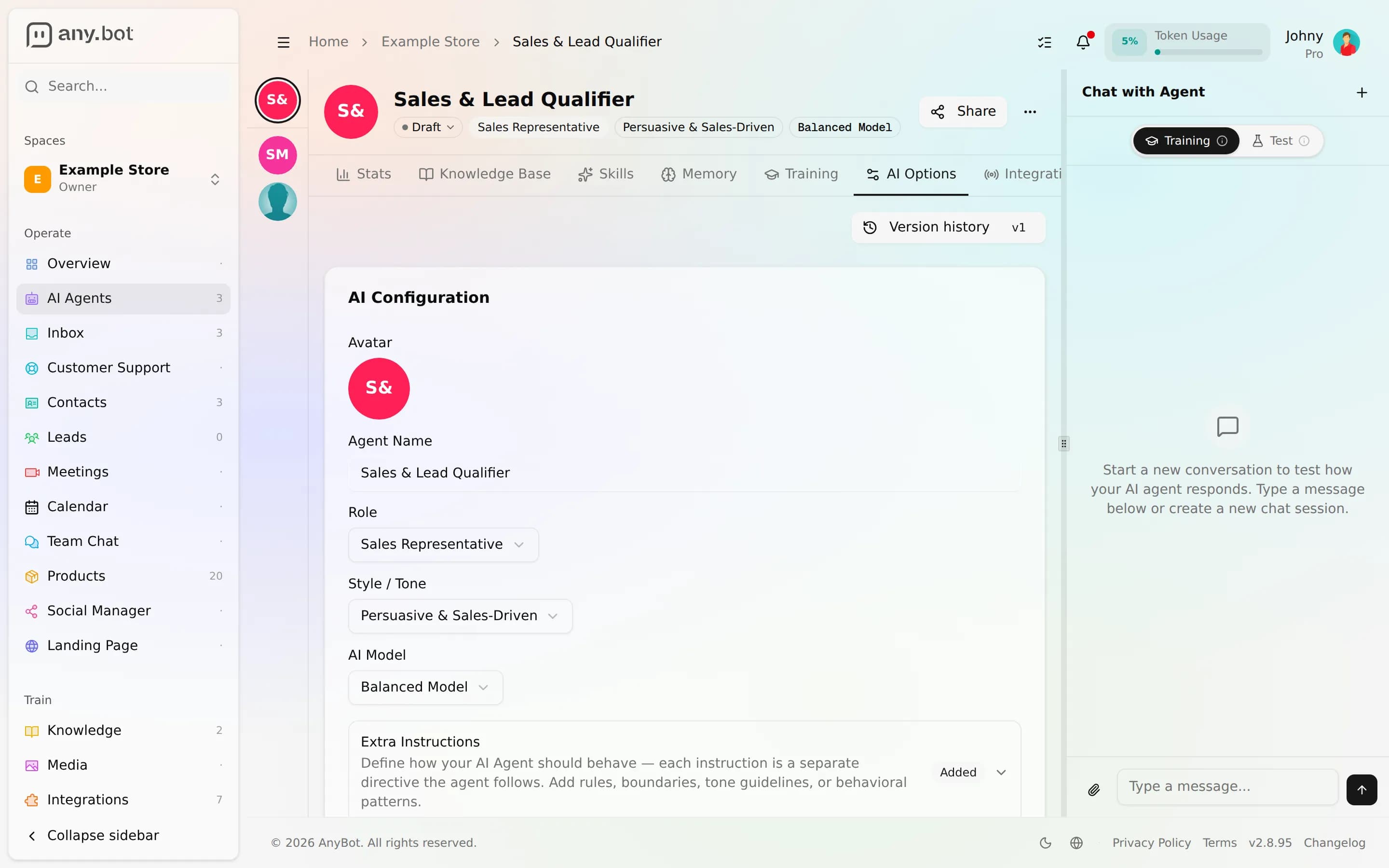
Everything about an agent lives in one editor, split into tabs. Each tab maps to one part of the agent's makeup, and to one page in this section.
Agent anatomy
Open an agent and you get up to seven tabs. Together they are the whole of what the agent knows, how it behaves, and what it can do.
| Editor tab | What it controls | Learn more |
|---|---|---|
| Knowledge Base | The documents and pages the agent answers from | Knowledge base |
| Memory | Durable facts you teach it, plus per-conversation context | Memory |
| AI Options | Behavior, guardrails, creativity, escalation, blocked topics | Behavior & guardrails |
| Skills | The tools it can use to do work, not just talk | Abilities (tools) |
| Training | The Answer corrections review: approve, edit, or reject the agent's past answers so it learns from your fixes | Versioning & feedback |
| Integrations | The channels and services it connects to | Channels · Integrations |
| Stats | Activity, resolution rate, and top unanswered questions | Versioning & feedback |
Alongside the tabs, not one of them, sits the live test chat (the Chat panel): a resizable side panel on wide screens, a Chat button on smaller ones. Replies stream token by token and every tool step is visible, so you can rehearse the agent before it ever touches a real channel. See Testing your agent.
How it fits together
The Knowledge, Memory, AI Options, and Skills tabs are the levers you tune; the live test chat, Integrations, and the feedback tabs (Training and Stats) are how you prove it, ship it, and improve it. A useful way to picture the flow:
Knowledge + Memory (what it knows) → AI Options (how it behaves) → Skills (what it can do) → test chat (prove it) → Integrations (go live) → Stats + Training (learn and improve).
You don't have to fill every tab. A knowledge base and a couple of guardrails is enough for a solid support agent; add Skills and Integrations as you're ready. Every change is auto-versioned with one-click rollback, so you can experiment freely.
Where to go next
Teach it what it knows
- Knowledge base, ground it in your documents and pages
- Memory, long-term facts and working context
Shape how it behaves
- Behavior & guardrails, answer-only-from-knowledge, blocked topics, escalation, always-on backstops
Give it real abilities
- Abilities (tools), 122 live tools across 19 integration families, each public-safe or owner-only
Ship it and improve it
- Testing your agent, the live streamed test chat
- Versioning & feedback, config history, thumbs, and gap analytics
Take a shortcut
- Import from the Marketplace, start from a pre-built template
- Your first agent, build one end to end in a single session
Which to read first
Brand new? Start with the first-agent tutorial. It walks the whole editor once. Already have an agent and want to deepen one part? Jump straight to the tab you're working on from the map above.