Your first agent
Create an agent, train it on your content, and test it in a live streamed chat, before it ever touches a real channel.
Building an agent in AnyBot follows one simple arc: create → train → test → take it live. You spin up an agent, give it knowledge to answer from, talk to it in a built-in test chat, and only connect it to a real channel once it behaves the way you want. This page orients that flow and the anatomy of the agent editor. For the click-by-click version, follow Your first agent in 10 minutes.
Open it in AnyBotThe create → train → test arc
Three moves take you from empty to working. Each has its own deep-dive; here's how they fit together.
-
Create. Open AI Agents in the sidebar and start a new agent: from scratch, from a Marketplace template, or by asking BotFather to build one for you. You give it a name, a role, a style, and a model.
Expected result: the agent opens in the editor with its role, style, and model shown as badges under its name.
-
Train. Give the agent something to answer from. Add documents or point it at a URL (a single page or a whole-site crawl) on the Knowledge base. Grounded on your content, the agent answers from it instead of guessing.
Expected result: your sources move Pending → Processing → Ready, and the agent begins citing them.
-
Test. Talk to the agent in the live test chat before anyone else can. Replies stream token by token and every tool step is visible, so you can see exactly how it reached an answer. See Testing your agent.
Expected result: the agent answers from your knowledge and declines to guess when it shouldn't.
Inside the agent editor
The editor opens on Stats and puts everything about the agent behind a row of tabs. The live test chat sits alongside it (a side panel on wide screens, a Chat button on smaller ones) so you can test while you tune.
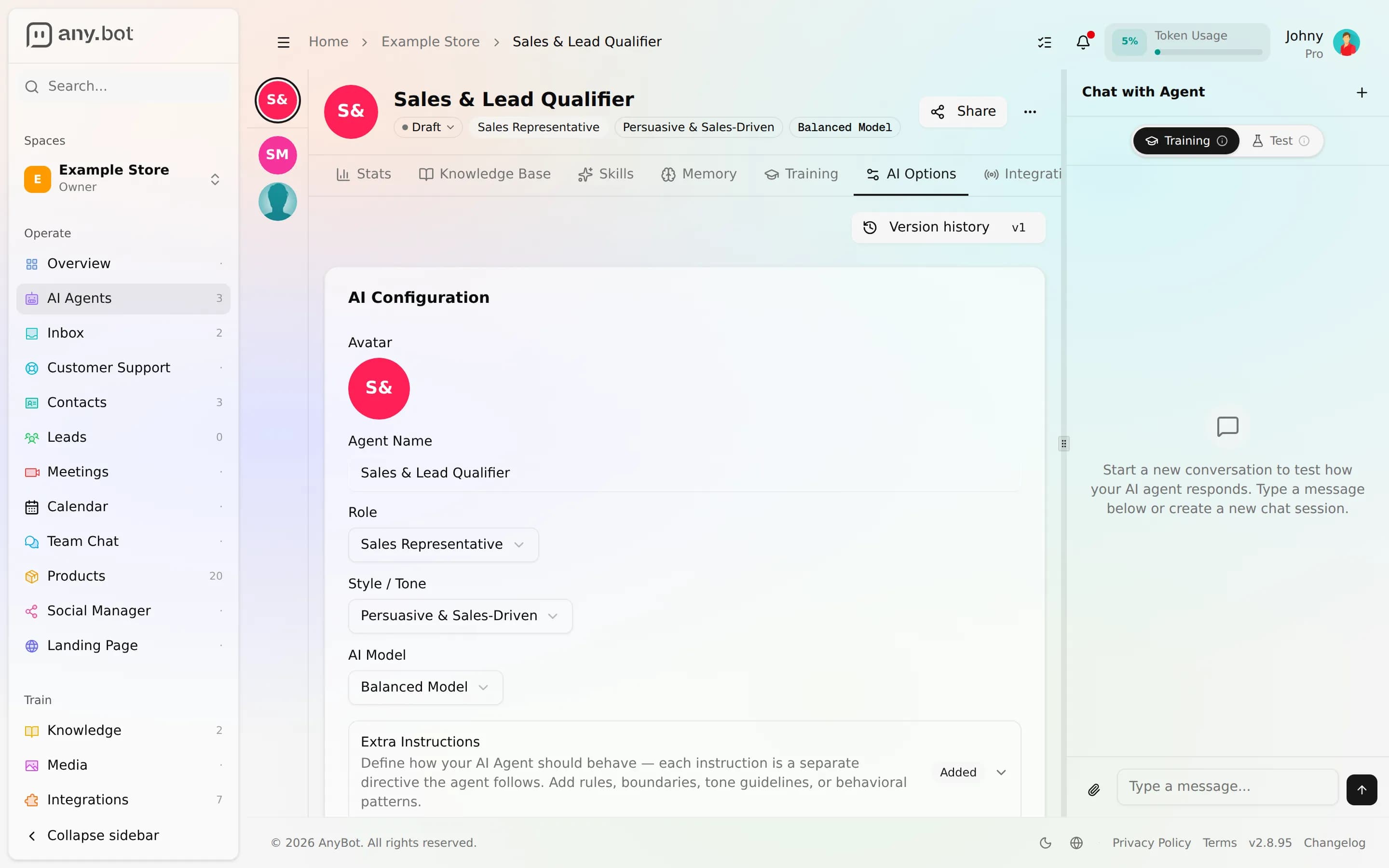
| Tab | What it's for |
|---|---|
| Stats | Activity and performance for this agent |
| Knowledge | The documents and pages the agent answers from, its grounding |
| Abilities | The 122 tools across 19 integration families the agent can use to take action |
| Memory | Long-term facts plus within-conversation context the agent carries as it talks |
| Training | Review answers, rate them, and feed corrections back |
| Options | Identity and behavior: role, style, model, and guardrails |
| Integrations | The channels and services this agent is connected to |
A worked test
Say you've uploaded a returns policy and connected a calendar. In the test chat:
You:   Do you take returns after 30 days?
Agent: Our policy allows returns within 30 days of delivery for unused
       items. After that window we can't accept a return, but I can help
       with an exchange or store credit.

You:   Can I book a call about it?
Agent: [tool: check_calendar_availability]   ← visible step
       Sure, I have Thursday 2pm or Friday 10am open. Which works?
Two things to confirm here. The first answer came from your document, not invented. That's grounding working. And the booking step is visible: you can see the tool the agent chose before it ever runs for a real customer. Tune the wording on the Options / behavior tab, adjust knowledge, and test again.
Take it live
When the test chat looks right, connect the agent to where your customers actually are. AnyBot supports 8 channels, from embedded web chat and WhatsApp to Slack, SMS, email, and voice.
- Embed it on your site with web chat.
- Reach customers on WhatsApp.
- Browse every option under Channels.
Verify it works
- The agent answers from your uploaded knowledge, with citations.
- It declines or hands off instead of guessing when it lacks an answer.
- Tool steps appear in the test chat when the agent takes an action.
- The role, style, and model badges reflect what you configured.
Troubleshooting
- Answers are generic or "I don't know." Your sources may still be Processing, or your knowledge doesn't cover the question. Check status on the Knowledge base.
- A tool never fires. The matching ability or integration isn't connected. Open the Abilities or Integrations tab.
- A change made things worse. Roll back to a prior version from Versioning & feedback.
Where to go next
- Do it step by step: Your first agent in 10 minutes
- Deepen each tab: Knowledge base · Abilities · Memory · Behavior & guardrails · Testing
- Take it live: Channels overview