Answer the phone with voice
Give an agent a real phone number and it answers incoming calls out loud, greets the caller, transcribes what they say, and talks back, turn by turn.
Cette page n’est pas encore traduite, la version anglaise est affichée.
This is the one that makes people sit up: you dial a number and an AI agent picks up the phone and talks to you. In this recipe you'll get a number, point an agent at it, and call it from your own phone, no Twilio account, no telephony setup, no code. For the full capability list, the reference is Voice calls; this page is the click-by-click.
What you'll build
An agent that answers a real inbound phone number. When someone calls, the agent greets them in a synthesized voice, transcribes their speech, replies using the same knowledge and abilities it uses everywhere else, and keeps the conversation going until the caller hangs up. The transcript lands in your inbox like any other conversation.
Two things to know up front:
- Voice is inbound only, callers phone your number and the agent answers. It doesn't place outbound calls.
- Voice is English-only. Caller speech is transcribed as English and replies are spoken in English, regardless of your agent's language settings on text channels. See Language below.
Before you start
- An agent that already exists, so it can answer the moment the number is live. New here? Build your first agent first.
- Permission to manage integrations in the space, getting and assigning numbers is an owner/admin action.
- A phone to test with. You'll call the number from any real phone.
Steps
1. Get a phone number
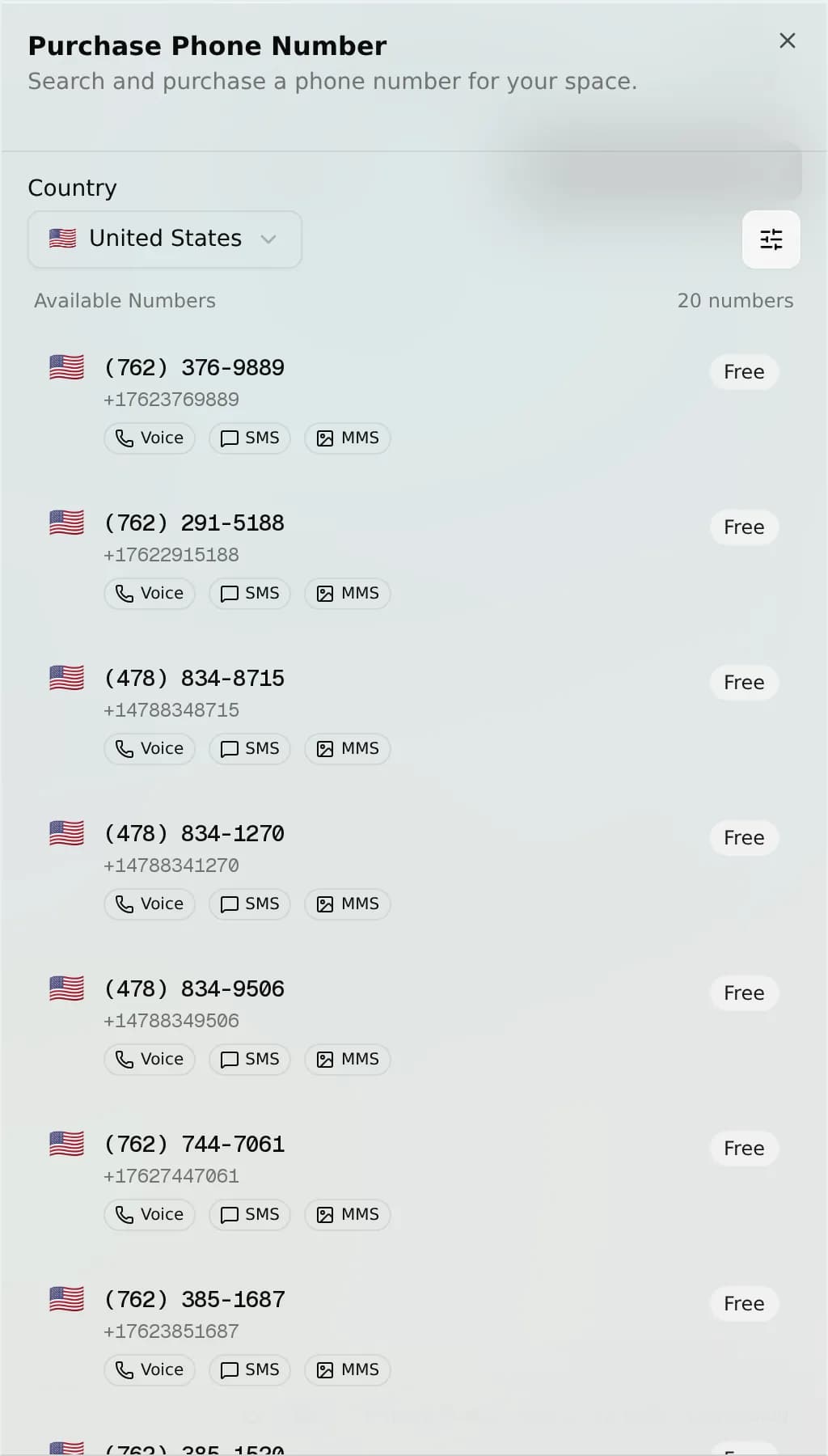
Open the Phone Numbers area and search by country (required), narrowing by type (local, mobile, toll-free) or area code. Get one: free numbers are provisioned instantly; paid numbers open a Stripe checkout for a recurring monthly subscription and provision once payment succeeds.
Expected result: The number appears in your space as Active. Full walkthrough: Phone numbers.
2. Assign your agent to the number
Assign the number to one agent. That single action installs the Phone & SMS integration, which lights up both voice and SMS on that one number, one addon, two channels. A number serves one agent at a time.
Expected result: The number shows the agent's name. Voice is now armed, an unassigned number would tell callers to send an SMS instead.
3. Call the number
From any phone, dial the number. The agent answers automatically, no extra voice setup.
Expected result: The agent picks up and greets you ("Hello, how can I help you?"). Ask it something your agent knows. It transcribes your speech, replies out loud, and waits for your next turn, repeating until you hang up.
4. Read the call back in your inbox
Every call is saved as a conversation. Open the unified inbox and find the call thread.
Expected result: The transcribed caller turns and the agent's spoken replies read back like a chat thread. The call is also logged with direction, numbers, status, and duration.
What happens on a call
Caller dials your number
  -> Agent answers and greets in a synthesized voice
  -> Caller speaks  ->  speech is transcribed (English)
  -> Agent generates a reply (knowledge . abilities . guardrails)
  -> Reply is spoken back
  -> (repeat each turn until the caller hangs up)
Verify it works
- The number reads Active and shows your agent assigned.
- Calling it, the agent answers and greets you out loud.
- It answers a question from your agent's knowledge, spoken back.
- The call thread appears in your inbox with the full transcript.
Language
Voice is English-only today. This is a fixed limit of the voice channel and is independent of your agent's language settings on text channels. If a caller needs another language, route them to a text channel like WhatsApp or web chat.
Troubleshooting
- Caller is told to "send an SMS instead", the number has no agent assigned. Assign one in Phone Numbers.
- "This number is not available", the number isn't wired to your space. Re-check it in Phone numbers.
- Agent says it "didn't catch that" and hangs up, the line was silent or too noisy to transcribe. There's no retry; ask the caller to speak clearly and call back.
- No Voice or Phone Numbers option, the channel hasn't been enabled for your plan. Contact your operator.
What's next
- Voice calls, the full reference: transcripts, recordings, and the per-turn call flow.
- Phone numbers, search, buy, assign, and release the number voice runs on.
- SMS, the texting side of the same number.
- Channel settings, the shared controls that apply across channels.
Sell products in chat
Sync a WooCommerce catalogue or crawl your site so your agent recommends real products, quotes as-of-sync prices, and hands the shopper to your real checkout.
Hand off to a human
Take a live conversation away from the AI, answer as your team, then hand it back, cleanly and invisibly to the customer.