Connecting an integration
The one model behind every integration: sign in with OAuth, paste a token, or use an application password. Connect once and a whole tool family unlocks for your agent.
Esta página ainda não foi traduzida, exibindo a versão em inglês.
Every integration on this page connects the same way. You link an account with one of three credential types, AnyBot stores it against your space, and the moment the connection is live a whole tool family becomes available to your agent: the eight Notion tools, the fourteen WordPress tools, the seven Wise tools. This page is the shared how-to; each specific integration page then covers its own scopes and gotchas.
The three ways to connect
Which one you use depends on the app. You don't choose it; the integration does.
| How you connect | What it looks like | Integrations that use it |
|---|---|---|
| OAuth sign-in | One click, then approve on the provider's own screen | Notion · Google (Drive / Sheets / Docs, Gmail, Calendar) |
| API token or key | Paste a token, or a key pair, that you generate in the app | Slack (Bot Token + Signing Secret) · Wise · WooCommerce · Custom API (Bearer / Basic / API key) |
| Application password | Site URL + username + a dedicated application password | WordPress |
| Built-in | Nothing to connect. It's already on | Web Search |
- OAuth sign-in is the smoothest: you're bounced to the provider, you approve, and you land back connected. Scope selection often happens on the provider's screen. With Notion you pick which pages the agent may see there; with Google you grant Drive access and can choose read-only.
- API token or key means you generate a credential in the third-party app and paste it into AnyBot. These are static. There's no auto-refresh, so if you rotate or revoke the key in the source app, reconnect here. Wise also asks you to match the environment (production vs sandbox) the token was issued for.
- Application password is WordPress's model: a per-app password you create in your WordPress profile (never your login password), sent as Basic auth over HTTPS.
Where connected integrations live
Connections live in the Integrations area of the dashboard, scoped to the space you connect them in, not to a single agent. Each connected app shows its status, and several run a live health check so you can see at a glance whether the link is still valid. Disconnecting is one action and is reversible: you reconnect by signing in or pasting a fresh credential again.
Credentials are encrypted at rest. Tokens, secrets, and application passwords are stored encrypted; non-secret settings (like a default currency or a read-only flag) are stored as plain configuration. At connect time AnyBot validates the credential against the provider before saving. A wrong, expired, or wrong-environment token is rejected on the spot rather than failing silently later.
Connecting unlocks a tool family
This is the payoff. The instant a connection succeeds, the matching tool family attaches to your agent automatically. You don't wire up tools by hand. Connect Notion and the agent gains its Notion read and write tools; connect WordPress and the fourteen WordPress tools appear. Remove the integration and those tools detach again (as long as no other connection of the same type is still active).
Every tool in that family carries a fixed public-safe or owner-only access level, and connecting doesn't change that split. A website visitor can trigger a public-safe product search but can never reach an owner-only write tool. That's the guarantee across all 19 integration families and 33 integrations. See agent abilities for how the attached tools then show up inside a conversation.
The general steps
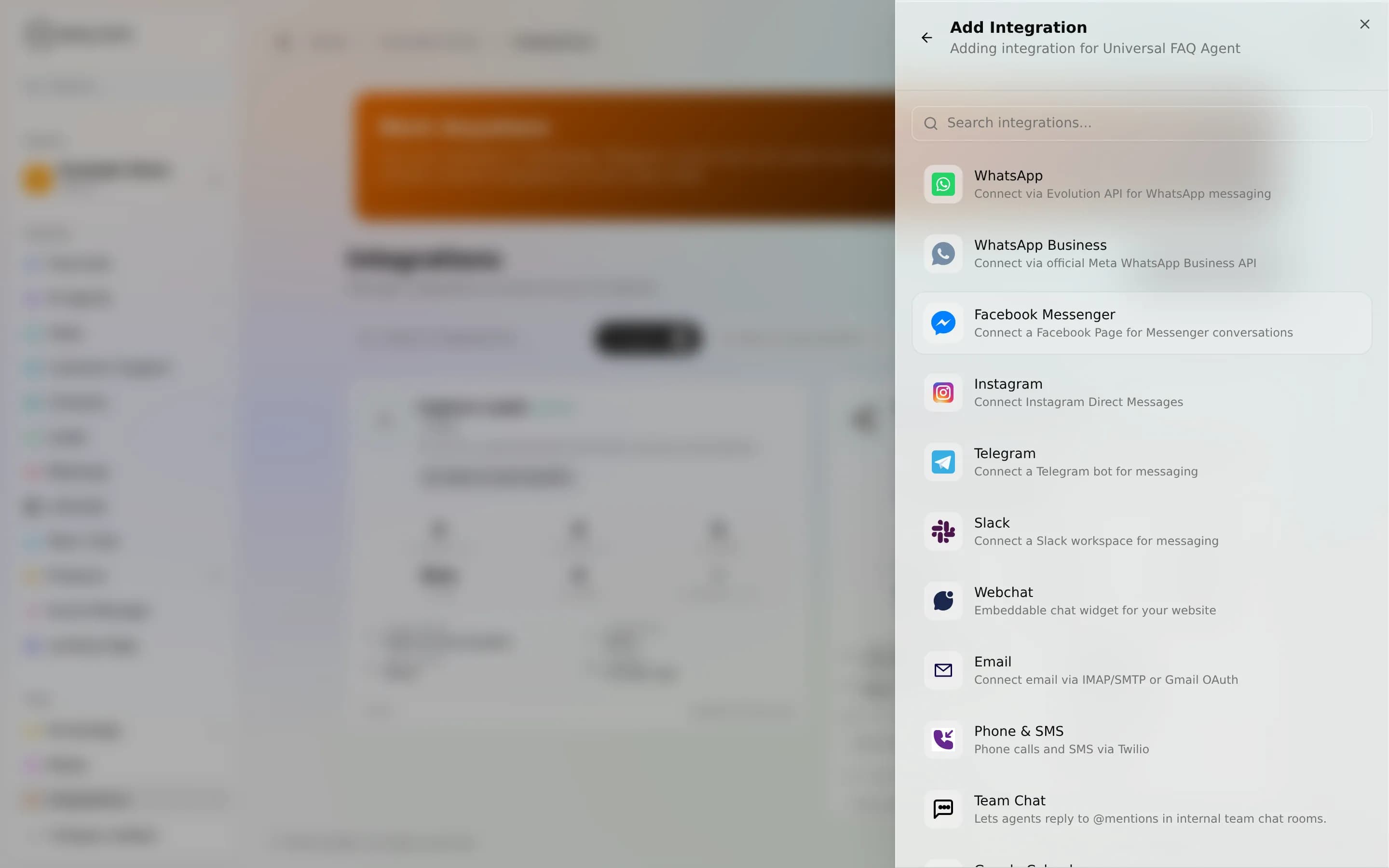
- Open Integrations in the dashboard and choose the app.
- Authenticate: an OAuth sign-in, an API token/key, or a site URL plus application password.
- Grant scope where the app offers it: pick pages (Notion), toggle read-only (Google), or select permissions (WordPress).
- The tool family attaches to your agent, ready to use in a live chat.
Honesty
- Static tokens don't refresh. After rotating or revoking a key in the source app, reconnect in AnyBot. OAuth connections are managed for you, but can still expire or be revoked on the provider's side. Reconnect if a tool starts reporting the connection is no longer valid.
- Some integrations do less than they look. A few are read-only by design: Wise moves no money and Commerce is sync-not-transactional. The integrations overview states each limit up front.
Next
- Integrations overview, every connectable app and what it unlocks
- Notion, the fastest OAuth first connection
- Custom API tools, connect anything without a built-in integration
- Agent abilities, how attached tools show up in a conversation
Visão geral das integrações
Dê ao seu agente ferramentas reais, 122 ferramentas ativas em 19 famílias, cada uma marcada como segura para o público ou exclusiva do proprietário por design.
Notion
Um único login no Notion dá ao seu agente 8 ferramentas para pesquisar, ler e escrever páginas e bancos de dados.